All features
Core Platform

Every load, managed from one screen.

From quote to delivery, Fleet TMS gives you complete control over every load in your operation. No more spreadsheets, no more missed details.

Product Preview

See it in action

Fleet TMS · Load Management
Search loads...
Load #RouteDriverStatusRate
25048Chicago, IL → Dallas, TXM. JohnsonIn Transit$2,850
25047Atlanta, GA → Miami, FLS. WilliamsDispatched$1,920
25046Los Angeles, CA → Phoenix, AZJ. DavisDelivered$1,450
25045Seattle, WA → Portland, ORR. GarciaInvoiced$3,100
25044Denver, CO → Kansas City, MOT. BrownBooked$1,680

Click any load to expand details

What you get with Load Management.

  • Create loads in under 60 seconds with smart defaults
  • Multi-stop routing with unlimited pickup and delivery locations
  • Automatic load numbering and reference tracking
  • Drag-and-drop document uploads per load
  • Duplicate loads instantly for recurring lanes
  • Assign drivers, carriers, and equipment in one click
  • Full load lifecycle tracking from booked to delivered
01

Multi-Stop Routing

Build routes with as many stops as the load needs. Each stop has its own appointment window, contact info, and special instructions. The load shows the route on a map with total miles and drive time, and records the in and out time at every stop.
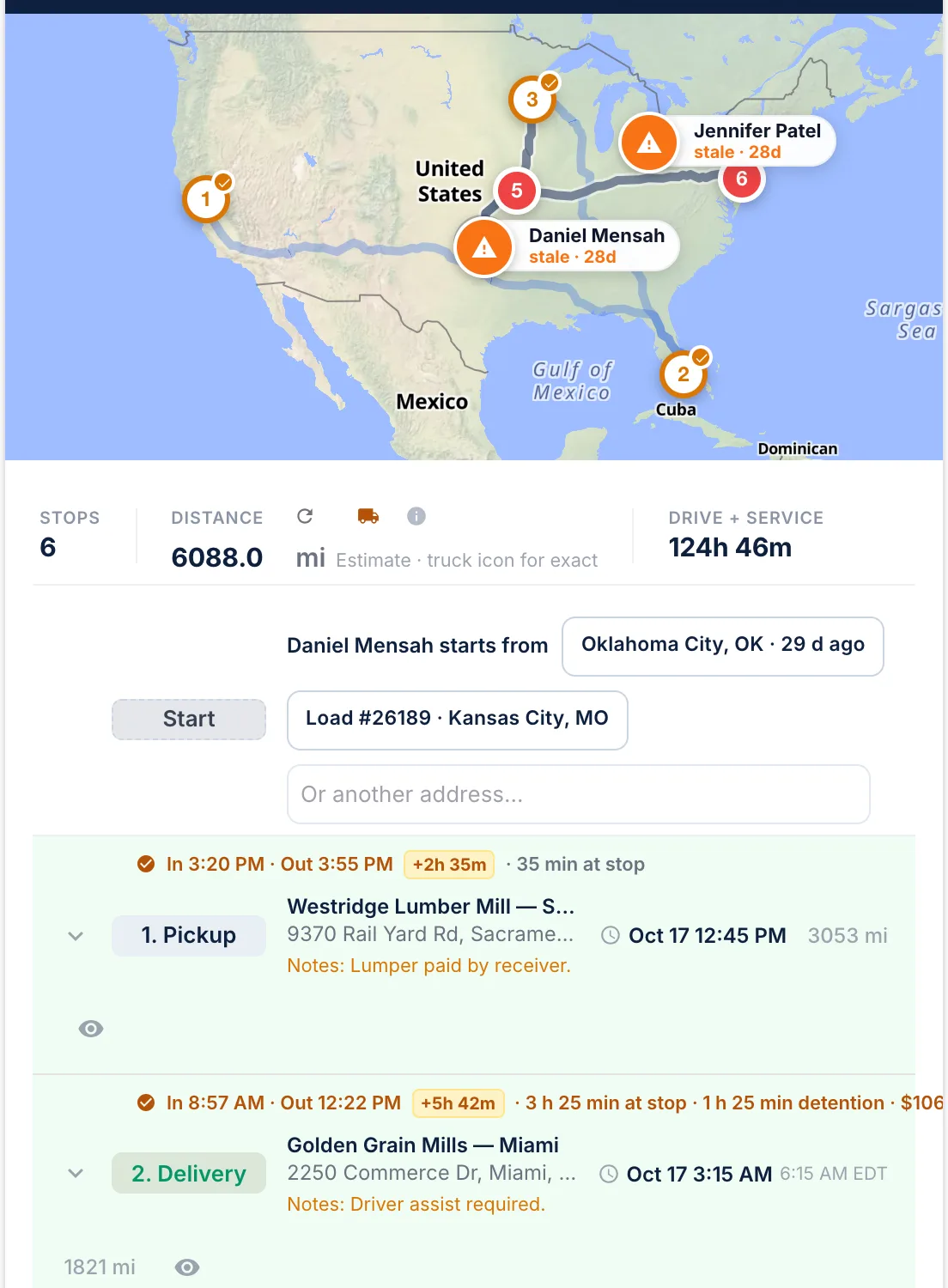
Load stops panel: route map with six numbered stops, total miles and drive time, and each stop with its appointment, address and recorded in/out times
Real screen, demo company
02

Duplicates & Recurring Lanes

Running the same lane every week? Duplicate any load in one click: shipper, consignee, stops, and rate carry over, just update the dates. Or set up a recurring load template and the system generates the loads on schedule automatically.
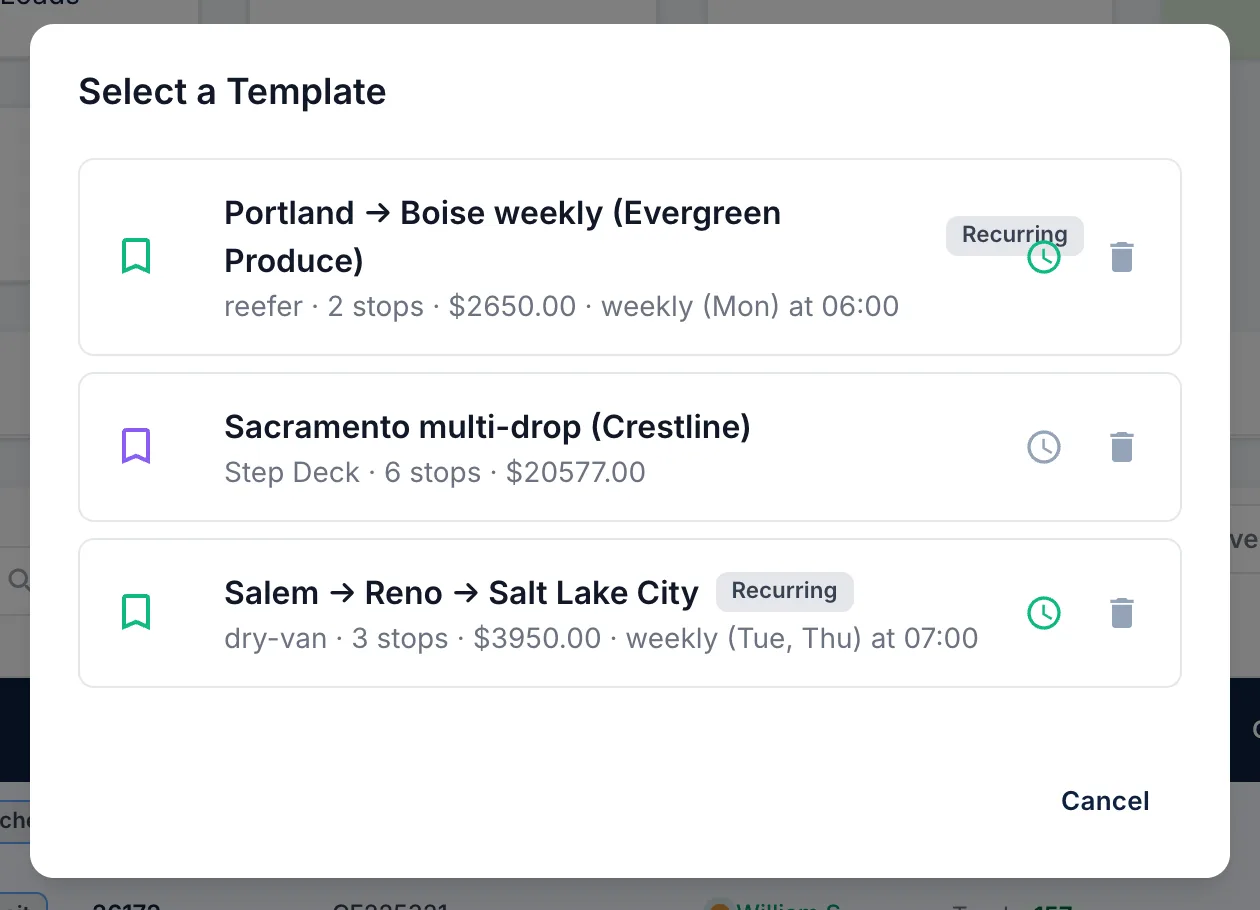
Select a Template dialog listing saved load templates, two marked Recurring with weekly schedules
Real screen, demo company
03

Real-Time Status Updates

Every load moves through a clear status pipeline: Open, Dispatched, In Transit, At Pickup, Loaded, At Delivery, Delivered, Invoiced, Paid. Your entire team sees the same data in real time, so nothing falls through the cracks.
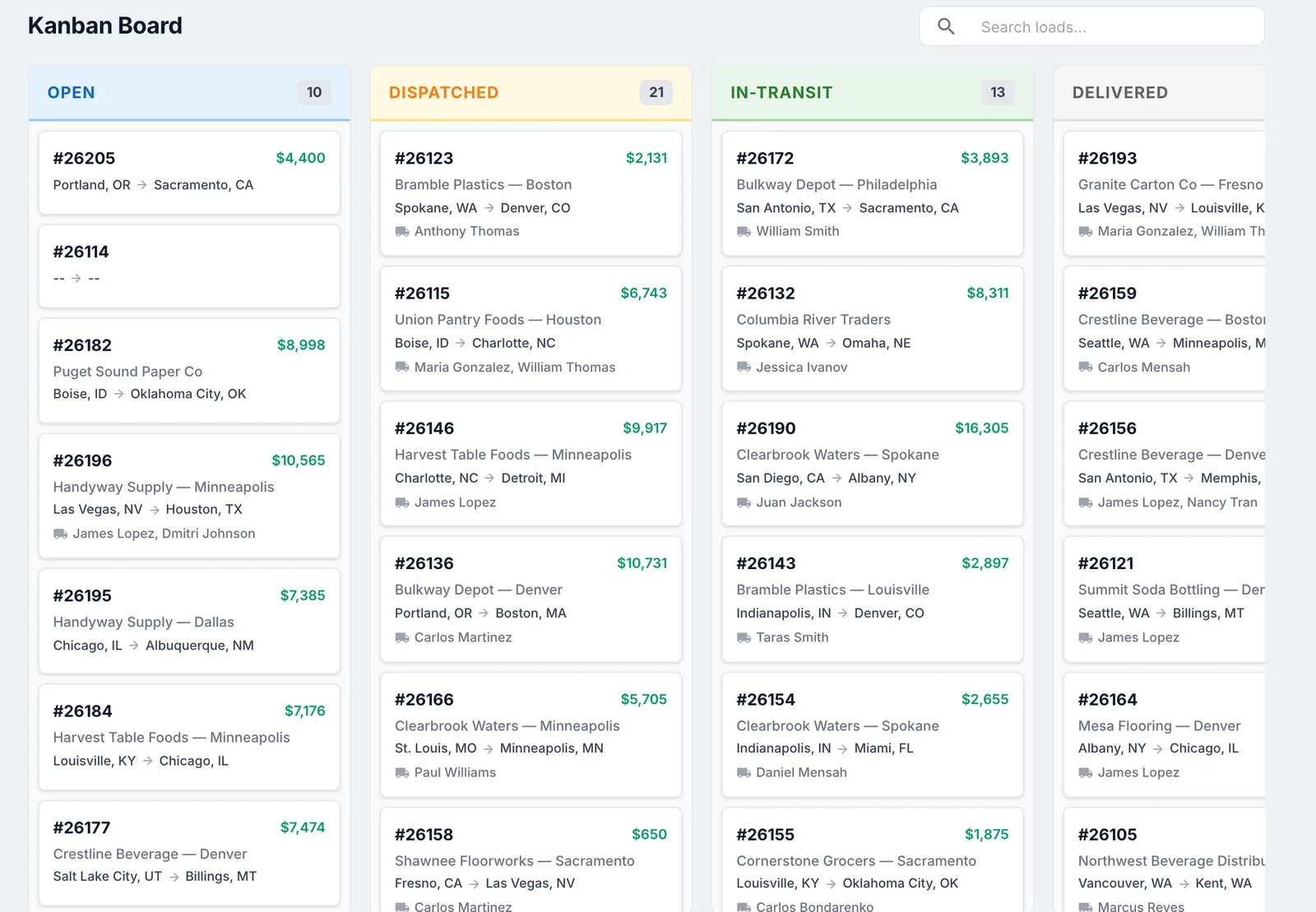
Kanban board with loads grouped into Open, Dispatched, In-Transit and Delivered columns, each card showing lane, customer, driver and rate
Real screen, demo company

Ready to see Load Management in action?

Set up in minutes, not days. Cancel anytime.

Real-Time Tracking