All features
Operations

See your entire operation at a glance.

A visual command center for your dispatch team. See every load, every driver, and every status update in real time. Pick a driver, filter by status, and keep your operation moving.

Product Preview

See it in action

Fleet TMS · Dispatch Board
All dispatchers
Click an unassigned load and the nearest available driver is suggested
Booked2

#25050

Miami → Tampa

Unassigned

Nearest available: M. Johnson · 38 mi

#25044

Denver → KC

T. Brown

Dispatched1

#25047

Atlanta → Miami

S. Williams

In Transit1

#25048

Chicago → Dallas

M. Johnson

Delivered2

#25046

LA → Phoenix

J. Davis

#25045

Seattle → Portland

R. Garcia

What you get with Dispatch Board.

  • Visual load board with real-time status updates
  • Driver and carrier picker with ratings and last known city
  • Filter drivers by endorsements, CDL class, and truck and trailer features
  • Filter loads by status, driver, carrier, dispatcher, or date range
  • Color-coded status indicators for instant visibility
  • Role-based views: dispatchers see only their loads
  • Bulk status changes, CSV export, and paperwork download for selected loads
01

Real-Time Visibility

Every load updates in real time across the entire team. When a driver checks in, the board updates instantly. When an invoice is generated, the status shifts. Your dispatch team always sees the truth.
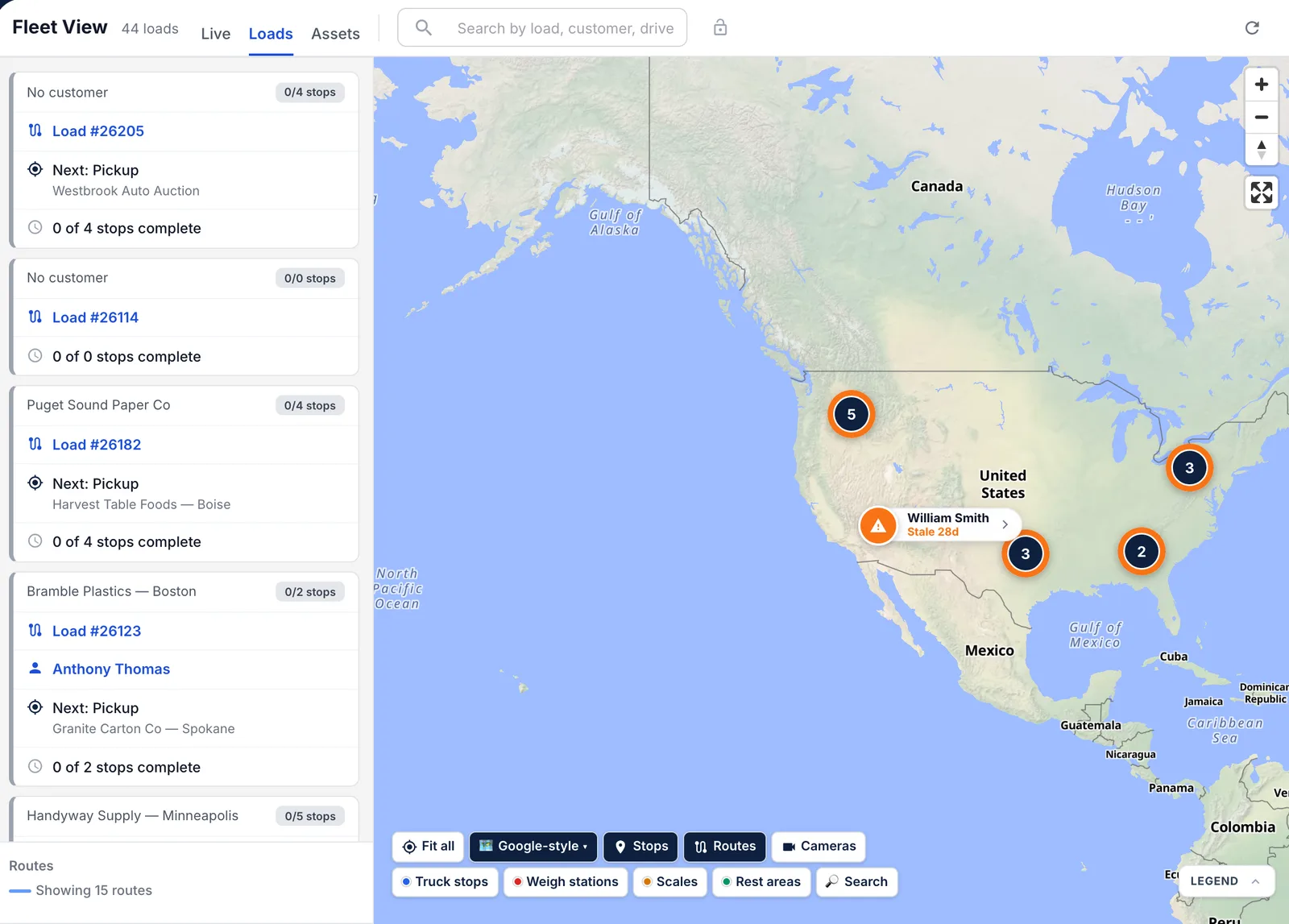
Fleet View, Loads tab: active loads with next stop and stops completed, beside a live map of trucks
Real screen, demo company
02

Smart Assignments

Open the driver picker from the Loads table or a load. Each driver shows ratings, the last load they ran, their last known city, and whether they share location. Filter by endorsements, CDL class, truck and trailer features, or team and solo, keep a preferred list, and assign one driver or send a quote request to several.

M. Johnson

Available · Dallas, TX · Dry Van

S. Williams

In Transit · I-75 S · Reefer

J. Davis

Off Duty · Portland, OR

Illustration
03

Dispatcher Workspaces

Each dispatcher gets their own filtered view showing only their assigned loads and drivers. Managers and admins see everything. Role-based access keeps things clean and focused.
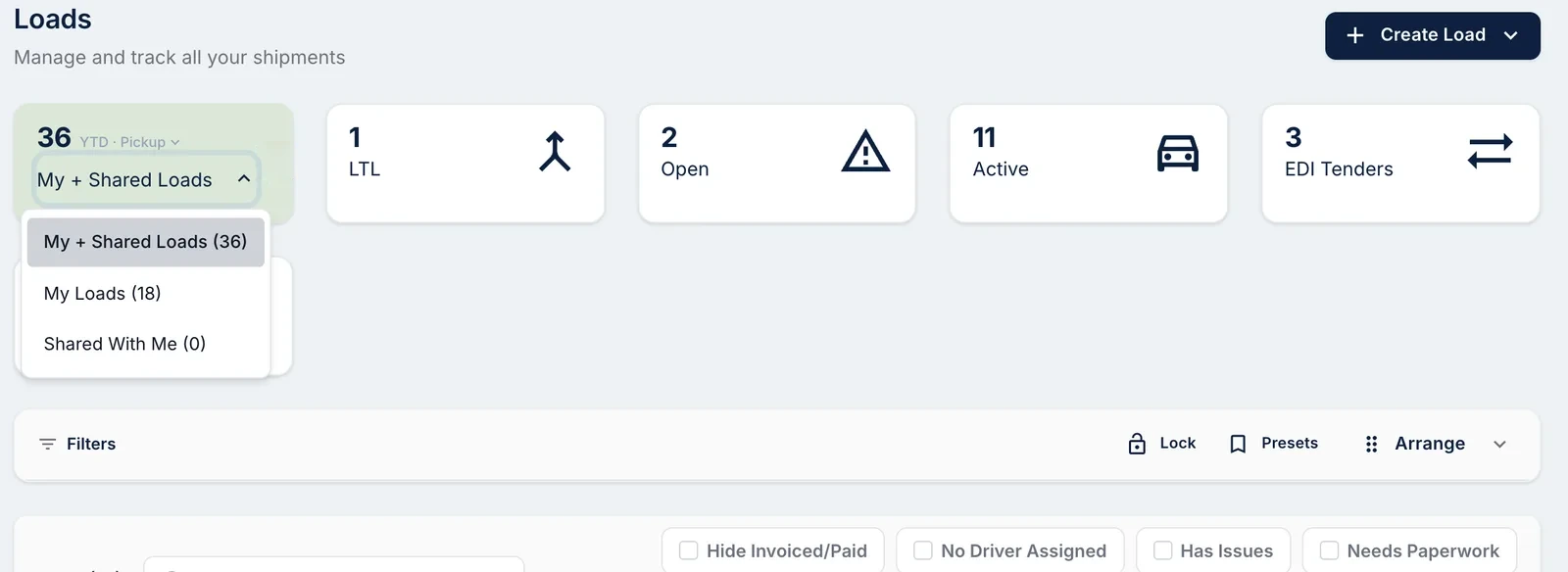
Loads page signed in as a dispatcher: view picker showing My + Shared Loads, My Loads and Shared With Me, with counts for that dispatcher only
Real screen, demo company

Ready to see Dispatch Board in action?

Set up in minutes, not days. Cancel anytime.

Warehouse & InventoryFleet & Carrier Management