All features
Operations

A warehouse module inside your TMS.

Cross-dock, store, and ship without a separate WMS. Freight comes off an inbound load into stock, sits with storage accruing, and leaves on an outbound load you build in one click.

Product Preview

See it in action

Fleet TMS · Warehouse

Portland Cross-Dock

Storage rate $1.25 / pallet-day · 19 pallets on hand

Build Shipment
ITEMON HANDSTOREDCHARGE

Pallets · Building Materials

received from Load #26018

12 plt · 288 cs14 days$4,800 ✓ paid

Retail Cases · Beverage

received from Load #26021

6 plt · 420 cs6 days$2,150 due

Machinery Crate

received from Load #26025

1 crate · 2,200 lbs2 days$1,900 due
Partial pick: ship 4 of 6 pallets, remainder stays in stockStorage accrued: $157.50

What you get with Warehouse & Inventory.

  • Receive stock straight from an inbound load, no re-keying
  • Track cases, pallets, weight, and value per item
  • Partial picks: ship half a receipt and the counts reconcile automatically
  • One-click outbound load creation from picked stock
  • Storage shown accruing by pallet-day at your facility's rate
  • Enter a storage or handling charge to bill the customer per item
  • Per-item payment tracking with emailed payment requests
  • Multiple facilities with per-facility inventory
01

Receive & Store

Point at an inbound load and its freight lands in stock: items, cases, weight, and the customer who owns it. Every facility keeps its own inventory, and the dashboard shows what's on hand, what's reserved, and how long it's been sitting.
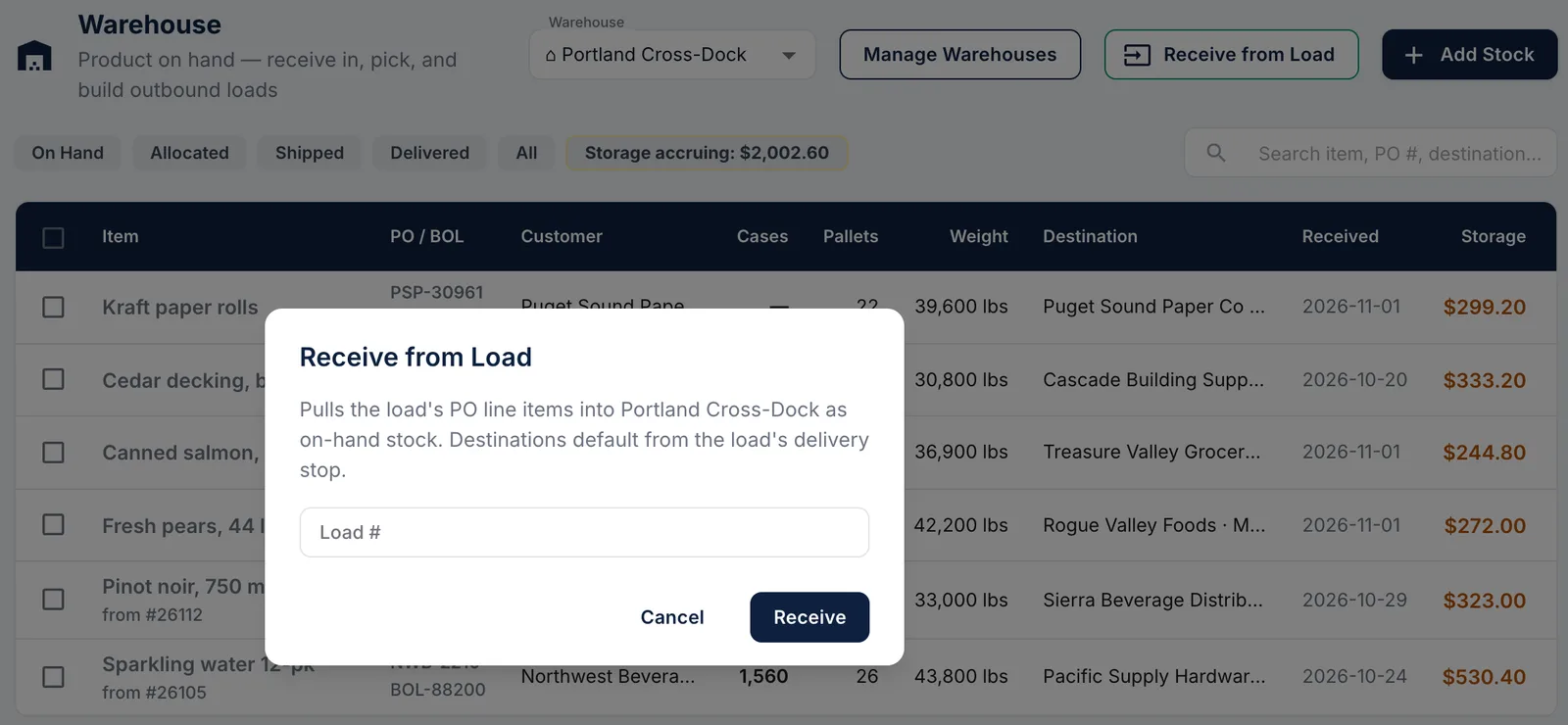
Warehouse stock on hand with the Receive from Load dialog, which pulls an inbound load's PO line items into the warehouse
Real screen, demo company
02

Pick & Ship

Build an outbound shipment by picking full or partial quantities across receipts. The system splits the stock rows, keeps the remainder on hand, and generates the outbound load with the right PO items and delivery details already filled in.
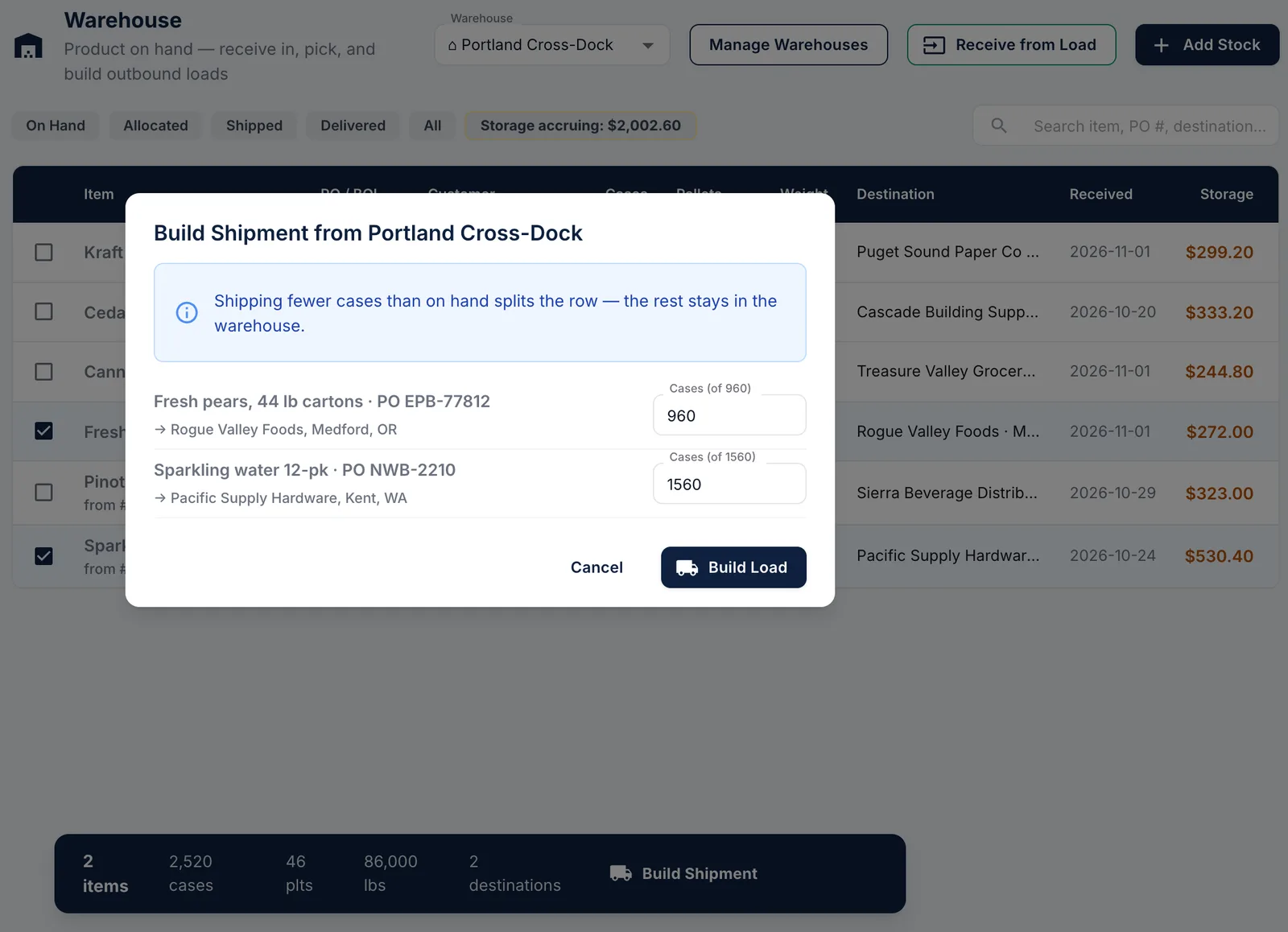
Build Shipment dialog: picking cases from on-hand stock rows, where shipping fewer cases splits the row and keeps the rest in stock
Real screen, demo company
03

Storage Billing

Set a per-pallet-day rate on the facility and every stock row shows its storage so far: days on hand times pallets times the rate. You decide what to bill and enter the charge for the customer on Payments Due. Nothing is added to a bill on its own.
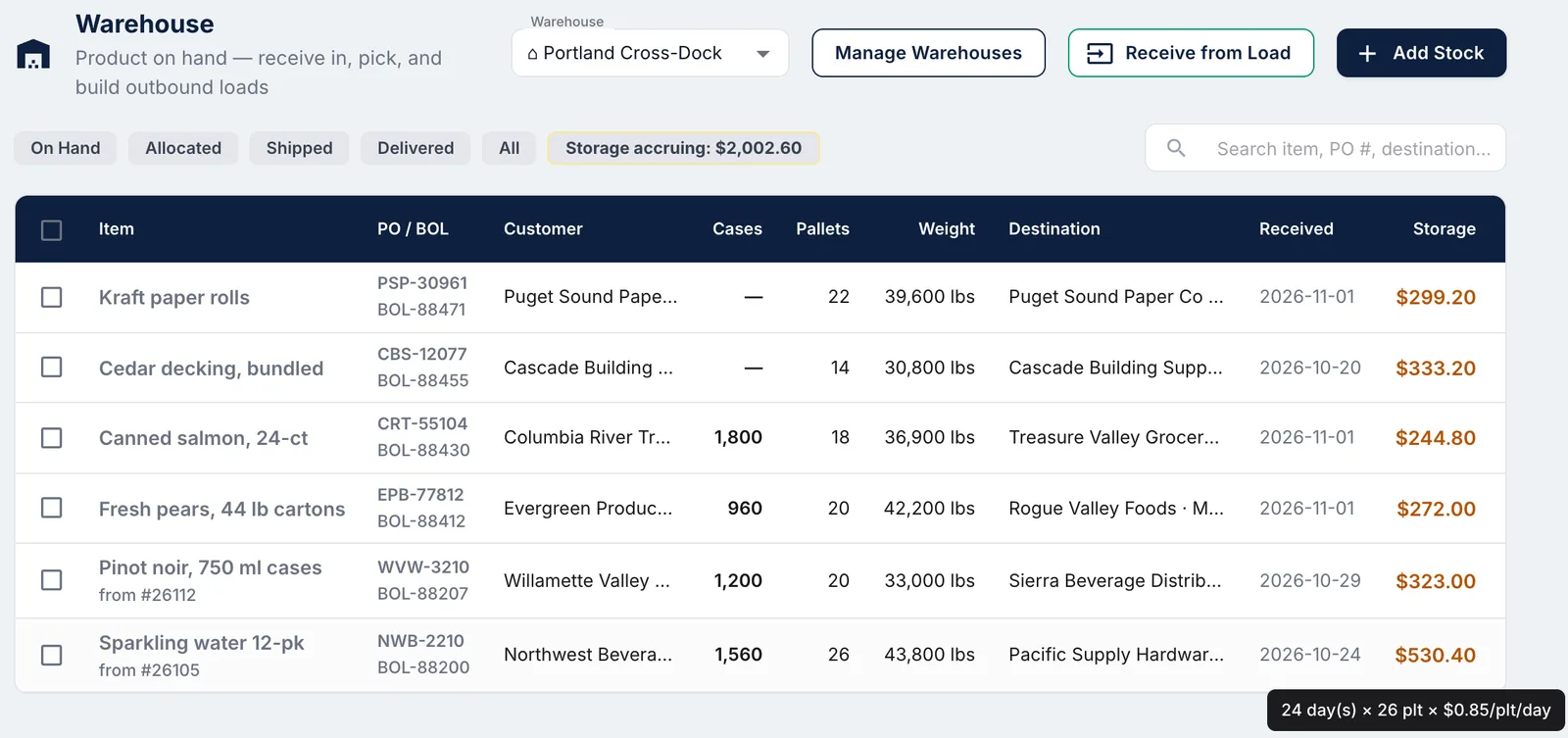
Warehouse stock with storage accruing per row, shown as days on hand times pallets times the per-pallet-day rate
Real screen, demo company

Ready to see Warehouse & Inventory in action?

Set up in minutes, not days. Cancel anytime.

LTL Consolidation & RelaysDispatch Board