All features
Enterprise

Speak EDI with your partners.

Connected trading partners send 204 load tenders to Fleet TMS by API. Your dispatcher sees each tender, accepts or declines it, and an accepted tender becomes a load with no retyping.

Product Preview

See it in action

Fleet TMS · EDI Transaction Flow

Click each step to see the transaction details:

Origin: Chicago, IL → Dest: Dallas, TX | Rate: $2,850 | Equipment: Dry Van 53'

What you get with EDI Processing.

  • EDI 204 load tenders received by API from connected partners
  • Accept or decline each tender from the EDI page
  • Accepting creates the load with stops, dates, rate, and references filled in
  • A 990 reply recorded for every accept or decline
  • Trading partners connected by the Fleet TMS team
  • Transaction history by direction, type, and status
  • No manual re-keying of tender data
01

Load Tenders In (EDI 204)

A connected partner sends a 204 load tender to Fleet TMS by API, and it shows on the EDI page with reference, origin, destination, and rate. Your dispatcher accepts or declines it. Accepting creates the load with stops, dates, rate, equipment, and references already filled in.
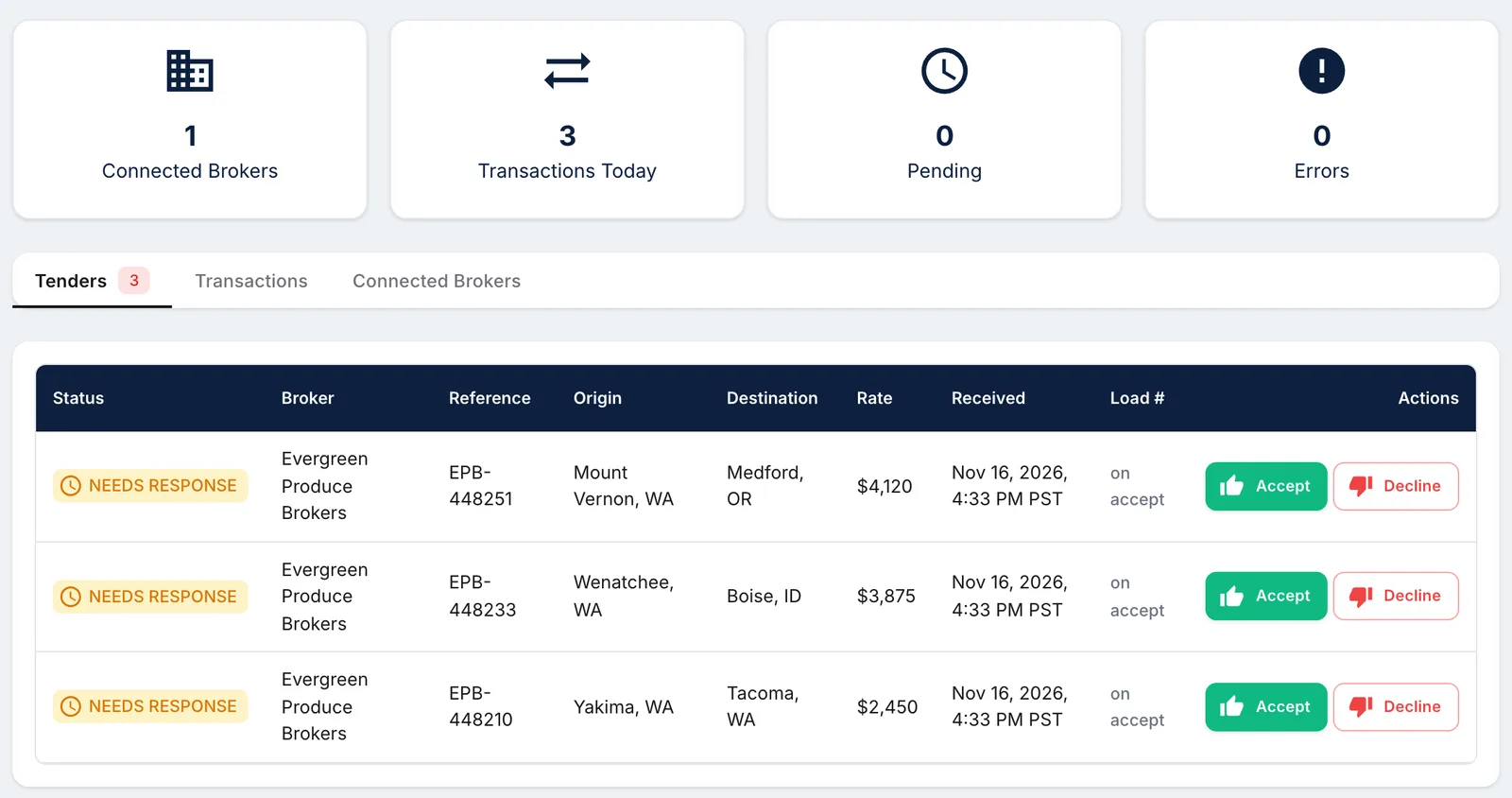
EDI page, Tenders tab: three incoming 204 load tenders from a connected broker, each with reference, origin, destination and rate, marked Needs response with Accept and Decline buttons
Real screen, demo company
02

Tender Replies (EDI 990)

Every accept or decline records a 990 reply in X12 against the tender, with the reason for a decline. A partner can be set to auto-accept its tenders. Status updates (214) and invoices (210) are not sent by EDI today.

Picked up (AG)

Generated from driver check-in

In Transit (AF)

Generated on departure from pickup

Delivered (D1)

Generated on delivery confirmation

Illustration
03

Transaction History

Every EDI document in and out is kept with its partner, type, direction, and status, so you can see what came in, what you answered, and when.

Invoice generated

→ EDI 210 created automatically

Ready to send

X12 formatted for your partner

Faster payment

Electronic = days, not weeks

Illustration

Ready to see EDI Processing in action?

Set up in minutes, not days. Cancel anytime.

Safety & ComplianceIntegrations